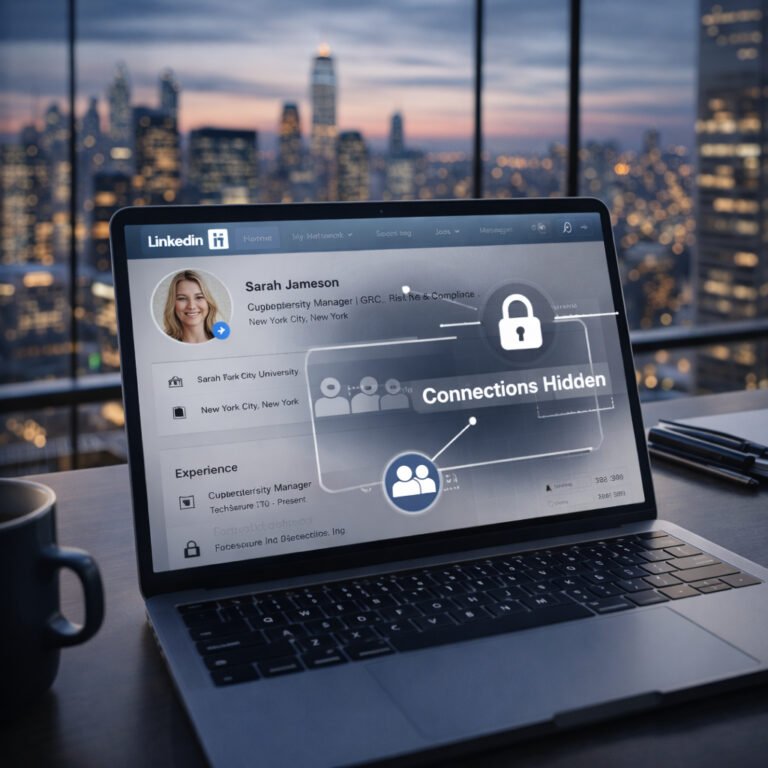
Every photo, tagged location, forum comment, and abandoned account can add another piece to your searchable digital footprint. In cybersecurity, understanding how public data is gathered makes it easier to reduce OSINT exposure before attackers exploit it. Collecting this publicly available intelligence is known as OSINT (Open-Source Intelligence).
Attackers, corporate competitors, and scammers rarely need sophisticated tools to compromise a target. Instead, they assemble puzzle pieces you have already handed them for free.
Knowing how to reduce your OSINT exposure does not mean deleting your accounts, abandoning your business visibility, or disappearing from the internet. It requires shifting from passive oversharing to deliberate operational hygiene. This guide explains how public data gets used against individuals and small teams, which privacy features create a false sense of security, and the exact steps you can take to clean your digital footprint.
The “Nothing to Hide” Trap: Why You Need to Reduce OSINT Exposure
The single biggest barrier to personal security is the belief that ordinary people are uninteresting to attackers.
Privacy is not about concealing illicit activity; it is about controlling access to your life. Locking your front door or closing your window blinds is not an admission of guilt—it is a basic physical boundary. The digital equivalent works the same way.
Attackers rarely target an individual based on one dramatic post. They collect multiple low-risk data points to construct an actionable profile:
- Routine Mapping: Daily check-ins, morning commute videos, or recurring fitness tracker routes show when your home or workspace is likely unoccupied and when you are distracted.
- Credential Guessing & Account Recovery Context: Photos of childhood pets, family milestones, schools, hometowns, and sports teams can expose clues to common security questions and provide the personal context attackers use during password reset attempts or social engineering.
- Contextual Impersonation: Posting an airport departure photo signals an opportunity window. Scammers can contact family members pretending you are in trouble, or email a business accountant demanding an urgent invoice payment while you are in transit and unreachable.
For small businesses, an employee posting a casual “First day at the office!” photo with a visible keycard, monitor screen, or software dashboard gives attackers valuable reconnaissance information for targeted phishing, impersonation, or credential attacks.
The Real Risk Is Correlation
A single data point rarely creates an immediate vulnerability. The true power of OSINT lies in data correlation—the process of cross-referencing isolated fragments from entirely different sources to reveal the bigger picture.
For instance, an attacker might extract a morning running routine from a fitness app, confirm your employer and exact team role via LinkedIn, and identify physical entry badge designs from an Instagram story. Individually, none of these posts breach your security; combined, they provide the exact blueprint needed for a highly convincing spear-phishing attack or physical intrusion.
Efforts to reduce OSINT exposure focus on breaking these links so automated scrapers and social engineers cannot assemble a complete profile.
The False Sense of Security: Settings That Don’t Lower OSINT Exposure
Platform settings are built primarily for user engagement, not operational security. Relying solely on default privacy toggles creates an illusion of safety.
1. Private Accounts
Setting an account to “Private” can significantly reduce casual exposure and search-engine visibility, but it leaves key blind spots:
- The Compromised Network: If an approved friend, follower, or coworker falls for a phishing scam or has their account compromised, an attacker can view whatever that account had permission to see.
- Tagged Content and Mentions: When friends tag your handle or mention you in their public posts, comments, or stories, your association, profile name, and social circles can still become visible to outside observers.
- Screenshots and Resharing: Privacy settings restrict the platform interface, but they cannot prevent approved followers from taking screenshots, saving media, or sharing your posts outside your intended audience.
2. “Close Friends” and Restricted Groups
The “Close Friends” list provides a psychological sense of privacy that encourages high-risk oversharing—such as venting about workplace issues, posting internal business tools, or sharing temporary location details.
No platform setting prevents another user from taking a screenshot, capturing a screen recording, or showing the screen to third parties. Once an asset reaches a screen you do not own, you have zero control over its archival.
The Real-Time Trap: Timing is Geolocation Data
Real-time posting turns your social media into a physical tracking beacon. Even with GPS permissions disabled, visual context can sometimes reveal or significantly narrow down a location.
How Images Leak Your Location Without GPS
OSINT practitioners do not need embedded GPS coordinates to determine where a photo was taken:
- Reflections: High-resolution sensors capture reflections of street names, building numbers, and distinctive shop signs in sunglasses, car mirrors, and window panes.
- Interior Hardware: Power outlet shapes, distinct vent grates, transit upholstery patterns, and elevator panels quickly narrow down specific venues or hotel chains.
- Environmental Clues: Sun position, shadows, vegetation, architecture, weather, and other environmental details can help narrow down where a photo was taken. Combined with maps, satellite imagery, and image-search tools, multiple clues can sometimes identify a specific location.
The Delay Principle
The specific number of hours is not a magical security threshold. The core principle is simple: do not publish while the information is still actionable.
Once you have left the venue, checked out of the hotel, or completed the trip, the real-time physical risk drops significantly.
- Post after departure: Share vacation highlights, restaurant visits, or event photos only after you have physically left the location or completed the trip.
- Use broad location tags: If posting for business visibility or brand engagement requires a location tag, stick to the wider city or region (e.g., “Berlin” or “Austin”) rather than a specific venue, storefront, or hotel lobby.
- Keep predictable transit private: Avoid posting about recurring daily movement altogether—such as daily workout hours at a specific gym, commute routes, or recurring child pickup times.
Image & Metadata Hygiene: Practical Steps to Reduce OSINT Exposure
Before publishing any media to personal or corporate accounts, apply a quick pre-upload inspection.
The Visual Checklist
- Access Badges & Lanyards: Never post employee badges, conference name tags, or visitor passes. Modern digital tools can extract barcodes, QR codes, and access levels from visible backgrounds.
- Workstations & Screens: Turn off monitors, wipe whiteboards, and hide sticky notes before snapping workplace photos.
- Physical Mail: Remove packages, envelopes, and bills showing addresses, tracking barcodes, or customer IDs.
- Keys: Avoid posting clear photos of house, office, vehicle, or other physical keys. High-resolution images can expose their shape and potentially provide information useful for physical security attacks.
Stripping EXIF Metadata
EXIF metadata can contain camera model, capture time, camera settings, software information, and—when location tagging is enabled—GPS coordinates.
Many major social platforms remove or reduce EXIF metadata from publicly displayed images, but you should not assume that every service or sharing method does. Direct file sharing, cloud storage, messaging apps, and self-hosted websites may preserve original metadata intact.
- Mobile Settings: Check your device’s location and camera privacy settings, ensuring geotagging is disabled for your default camera app if you do not strictly require it.
- Desktop Scrubbing: Before publishing photos directly to personal or company websites, strip metadata using native operating system tools (such as file property details in Windows or Inspector panels in macOS) or dedicated metadata removal utilities.
How to Reduce OSINT Exposure for Small Businesses and Teams
Small businesses are prime targets for OSINT-driven attacks because individual employees share company information without realizing the corporate risk.
- Tech Stack Reconnaissance: Detailed job listings or employee bios that mention specific internal tools, software versions, security hardware, or cloud environments give attackers clues about where to focus reconnaissance and phishing efforts.
- Vendor Impersonation: If an employee posts a photo praising a specific contractor or IT provider, scammers use that relationship to send fraudulent invoices that bypass internal scrutiny.
- Org-Chart Mapping: Combining LinkedIn titles with personal social profiles helps attackers identify key decision-makers and financial staff, laying the groundwork for personalized Business Email Compromise (BEC) scams.
The Fix: Establish basic social media guidelines for your team. Prohibit sharing internal office layouts, onboarding materials containing software credentials, and direct client contracts on personal profiles.
The 4-Step Action Plan to Shrink Your Digital Footprint
Follow this systematic checklist to audit your accounts and reduce OSINT exposure across public platforms.
1. Perform a Self-Audit
Search for yourself without personalized browser bias (use private browsing mode or alternative search engines):
- Run exact matches for your full name, common usernames, phone numbers, and primary emails:
"Firstname Lastname", "username".
- Perform a reverse-image search on your main profile photos using Google Images or specialized visual search engines to identify rogue accounts and scraping directories.
- Check whether your data has been leaked in public database compromises via credential alert platforms like Have I Been Pwned.
2. Purge Legacy Accounts and Data Brokers
Unused services from years ago are primary targets for credential stuffing and data scraping.
- Search your email archives for terms like “Welcome”, “Verify your account”, or “Registration” to track down abandoned forums, forgotten e-commerce accounts, and old blogs.
- Delete unused accounts permanently rather than simply abandoning them.
- Opt out of major data broker aggregators and public lookup directories.
3. Implement Identity Tiering
Stop using a single identity for everything online. Structure your activity into three distinct tiers:
- Tier 1: Public / Professional: High discoverability, strictly non-sensitive information, professional domain email (e.g., LinkedIn, corporate site).
- Tier 2: Personal Social: Pseudonymous or strictly locked down, registered with a dedicated alias email, restricted to verified real-life acquaintances.
- Tier 3: Critical / Administrative: Dedicated exclusively to banking, government services, and primary domain recovery. This email is never used for public sign-ups, has zero social footprint, and is protected with hardware-based multi-factor authentication (MFA).
4. Establish a Monthly Digital Hygiene Habit
Set a recurring calendar reminder to review your exposure on a regular basis:
- Prune follower lists of accounts that have become inactive, suspicious, or unfamiliar.
- Review your tagged feed and remove tags from third-party posts.
- Audit connected apps on Google, Apple, and social platforms, revoking permissions for tools you no longer use.
- Archive older social posts that contain outdated personal details, travel history, or identifiable background features.
Controlling your digital footprint is not about total invisibility—it is about removing the easy paths attackers rely on. By stripping sensitive details, delaying time-sensitive posts, and separating your identities, you make reconnaissance against you and your business more difficult, less reliable, and less useful to attackers.