Physical Address
304 North Cardinal St.
Dorchester Center, MA 02124
Physical Address
304 North Cardinal St.
Dorchester Center, MA 02124

Posting a photo shouldn’t feel dangerous. However, in 2026, sharing pictures online can reveal far more than you think. If you care about online privacy security, this is one of the most important habits you can build. The good news? You don’t need to stop sharing your life. You just need to share smarter.
In this guide, you’ll learn how location exposure really happens, what the most common mistakes are, and how to post photos safely without turning your Instagram, Facebook, or TikTok into a personal map.
Most people think location privacy is only a concern for celebrities, influencers, or people “with something to hide.”
That’s wrong.
Location exposure matters because it can lead to:
Even if your account is private, screenshots and re-shares happen. Also, your content can be seen by friends of friends, or by someone who gains access to a follower’s account.
Instagram and Facebook make it easy to add a location tag. It feels harmless. Yet it can instantly reveal:
Even worse: many people repeatedly tag the same places, which makes patterns easy to map.
Some photos contain metadata called EXIF. It can include:
Many platforms strip EXIF data automatically. However, not all platforms do it perfectly, and not all sharing methods remove it.
For example, if you share an original image file through a messenger app, email, cloud link, or file-sharing service, metadata may stay intact.
This is one of the most overlooked online privacy security risks.
This is the biggest one — because you can’t “turn it off.”
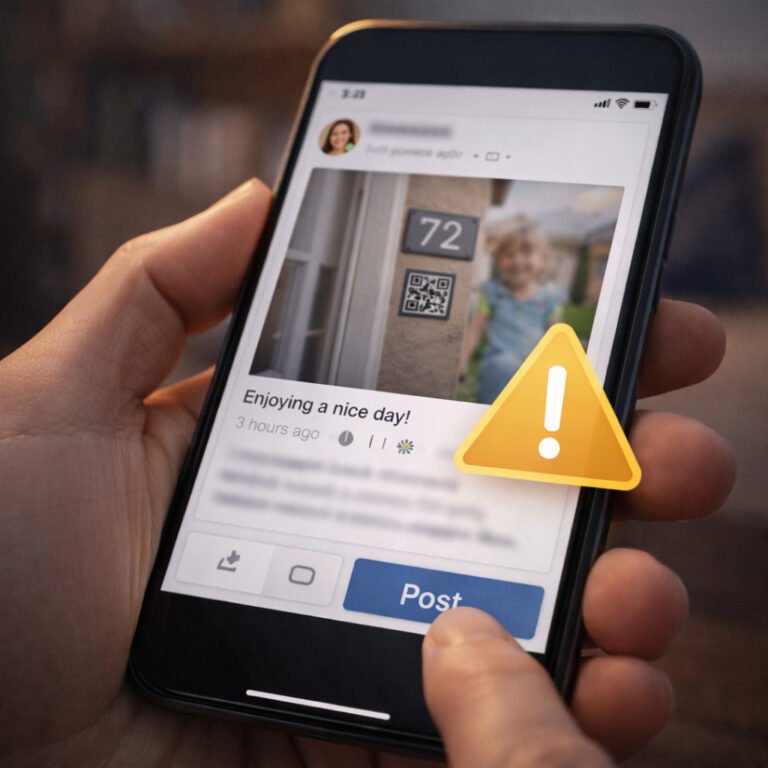
A single photo can reveal:
Criminals don’t need Hollywood hacking. They need patience.
This is classic OSINT digital footprint work: small details build a full picture.
If you post a photo while you are still at that location, you are broadcasting:
“I am here right now.”
This is risky in several situations:
A safe rule:
Post later.
Even a 12–24 hour delay makes a huge difference.
You can still share:
But you should avoid sharing:
The goal is not paranoia. The goal is reducing risk.
Security is about probability, not perfection.
This includes:
Even if your profile is private, your friends may repost.
If you want to share a cozy home vibe, do it without identifiable details.
Workplace tags can lead to:
If you must tag something, tag the city, not the company.
Routine places include:
People underestimate how quickly patterns appear.
Many apps request location permission “for better experience.”
In reality, most people don’t need it.
On your phone, set Instagram, Facebook, TikTok, Snapchat and similar apps to:
This reduces background tracking and accidental geotags.
If you share photos through:
Then you should remove EXIF metadata first.
On iPhone and Android, you can also use built-in “share as” options or privacy settings. You can also use simple metadata removal tools.
This step matters most for people who share photos outside Instagram and Facebook.
This is not a moral debate. It is a safety issue.
Kids photos can reveal:
A strong privacy approach is:
Many parents regret oversharing later.
Before you post, quickly scan the photo for:
This takes 5 seconds and prevents many problems.
Never post:
Even blurred versions can sometimes be reconstructed.
This is an easy win.
If you want to share travel content, you can still tag:
This keeps the vibe without giving away precise data.
This sounds harsh, but it is a powerful online privacy security principle.
Strangers should not be able to learn:
Your real life should be visible to people who actually know you — not to the internet.
Stories feel temporary. But they are not truly temporary.
People can:
Also, Stories often include:
If you want to keep using Stories safely:
You post a beach story with a hotel location.
A criminal doesn’t need to know your address. They only need to confirm you are not home.
If they already know your city, they can connect the dots.
You repeatedly post from your workplace or business events.
A scammer can build a believable profile:
Then they can send a targeted phishing email or message.
This is exactly how phishing and social engineering become personal.
You post from the same gym at the same time every week.
A stalker can predict where you will be.
This is one of the most common real-world location privacy risks.
If you want a quick self-audit:
Most people forget that old content still exists.
You don’t need to disappear from the internet.
You just need to stop making it easy.
A safe approach is:
This is one of the simplest and most effective habits in online privacy security.
Before posting, ask:
If you answered “yes” to any of these, adjust the post or delay it.
If you want to reduce your digital footprint without deleting your social media, start with this one habit:
Stop sharing exact locations and stop posting in real time.
Then move to the next step: cleaning up your social profiles and removing risky details.