Physical Address
304 North Cardinal St.
Dorchester Center, MA 02124
Physical Address
304 North Cardinal St.
Dorchester Center, MA 02124

Phishing is one of the oldest tricks in the cybercriminal playbook — and still one of the most effective. Instead of attacking systems directly, scammers manipulate people into clicking links, opening files, sharing passwords, or approving fake login requests.
They are not “hacking” your computer first.
They are hacking your attention, trust, emotions, and habits. This is why phishing is fundamentally a social engineering attack rather than a purely technical one. That is exactly why phishing continues to cause millions of security incidents every year, even as cybersecurity technology improves.
Modern phishing attacks have evolved far beyond simple fake emails. Attackers now combine email scams with fake login portals, cloud session abuse, social media impersonation, QR code manipulation, and mobile-focused attacks designed to bypass traditional user awareness. Understanding why phishing remains one of the most widespread cyber threats is an important part of staying safe online.
Most phishing attacks succeed because they catch people during normal everyday moments:
A typical phishing message creates urgency or pressure. Many campaigns also rely on manipulative interface design, fake notifications, misleading buttons, and deceptive user experiences that encourage people to click automatically instead of thinking critically.
You might see:
Once you click, several things can happen:
Modern phishing pages often look nearly identical to legitimate websites. In many cases, even experienced users can struggle to notice the difference quickly. Some fake portals even imitate Microsoft 365, Google, banking systems, or internal company login environments with alarming accuracy.
Phishing works because cybercriminals understand predictable human reactions.
Modern phishing campaigns rely heavily on psychological manipulation and social engineering techniques designed to bypass normal caution.
The most common emotional triggers include:
“Your account will be suspended.”
“Respond within 30 minutes.”
“You received a secure document.”
Messages pretending to come from banks, coworkers, schools, delivery companies, or support teams. In business environments, this type of manipulation can escalate into invoice fraud, executive impersonation, and payment redirection scams.
People are especially vulnerable when they are:
This is also why phishing attacks targeting social media users, remote workers, and constantly connected employees have become increasingly successful.
While phishing attacks continue evolving, several warning signs still appear regularly.
Pay attention to:
Modern phishing attacks also include fake QR codes, SMS scams, social media impersonation, cloud login abuse, and highly targeted spear phishing campaigns. Many attackers first gather personal or professional information from publicly available sources before launching more convincing attacks.
Before clicking anything, pause for a moment and verify independently whenever possible.
A safer habit is simple:
Access important websites manually instead of using links from messages.
Phishing has become far more dangerous on smartphones. Small screens make it harder to inspect:
Smishing attacks and fake delivery notifications have become especially effective because users tend to react much faster on smartphones than on desktop devices.
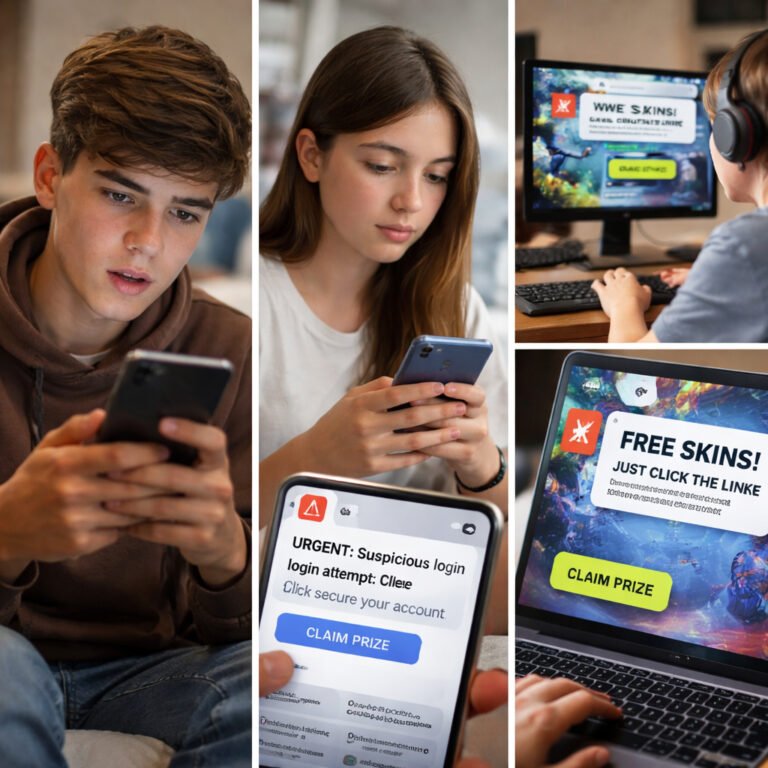
This is one reason why delivery scams, banking alerts, and fake verification requests continue spreading so successfully through SMS and messaging apps. Younger users are also increasingly targeted through gaming platforms, fake giveaways, and influencer-related scams.
Good cybersecurity habits are often more effective than advanced technical knowledge. Consistent awareness, skepticism, and safe online behavior reduce risk far more effectively than relying only on security software.
A user receives an email that appears to come from Microsoft:
“Your Office 365 subscription will expire today. Verify your account immediately.”
The login page looks completely legitimate.
The user enters credentials without noticing the fake domain name.
Within minutes, attackers gain access to:
That is how quickly a single phishing click can turn into identity theft, financial loss, or a larger business compromise.
Phishing is not really a technology problem.
It is a human problem built around distraction, trust, urgency, and manipulation.
Attackers no longer rely only on fake emails. Modern phishing campaigns now spread across:
The goal is not paranoia.
The goal is awareness.
Slowing down for a few extra seconds before clicking, downloading, or approving a request is often enough to stop an attack before it begins.